.svg)


How to Reduce Manual Freight Document Management

Key Takeaways

- Manual document handling costs real, measurable hours that scale with document volume.
- AI-powered processing classifies, extracts, and searches freight documents automatically, no custom training required.
- Evaluate solutions on structured output, search, and integration, not just text extraction.
Freight moves fast. The paperwork that gets it there doesn't. Every shipment generates a trail of bills of lading, invoices, and proofs of delivery – most of which gets opened, read, and typed in by hand. One piece at a time.
This guide walks through the limits of manual freight document management at scale, and what to actually look for in an AI-powered replacement.
Why Manual Freight Document Management Breaks Down at Scale
Manual document handling works fine at low volume and falls apart everywhere after that.
A bill of lading from one carrier rarely looks like one from another. Fields move, formats change. Someone on your team still has to figure out what they're looking at before they can type it into a system. That's before rate confirmations and delivery receipts enter the picture, each with their own layout and required fields.
Manual data capture is the human-powered transfer of data from unstructured documents into structured systems, involving reading, understanding, typing, and proofreading every value by hand. Research from Ardent Partners' found that paper-based invoices still account for nearly half of all invoices received by the average business. That gap tends to run wider for freight-specific documents like bills of lading and rate confirmations, which carry less standardization than invoices do.
For example, an experienced operations coordinator reviewing a single bill of lading can take up to twelve minutes once you account for a few sequential steps:
- Opening the email and downloading the attachment
- Finding the correct shipment record
- Entering each field into the system
- Verifying the data against the source document
At just 50 documents a day, that comes out to roughly ten hours of manual work. The real number for your team will depend on your document mix and volume, but the shape of the problem holds at any scale: someone is spending real hours reading documents a system could read faster.
Beyond the time cost, manual entry is where errors creep in. A mistyped weight or a missed accessorial charge doesn't just cost the minute it takes to fix, it can hold up invoicing or delay a shipment that's already in motion.
How AI-Powered Document Processing Actually Works
AI-powered document processing handles the same job a person does today, understanding what a document is and pulling out the fields that matter, just automatically and at scale. The mechanics generally break down into four steps:
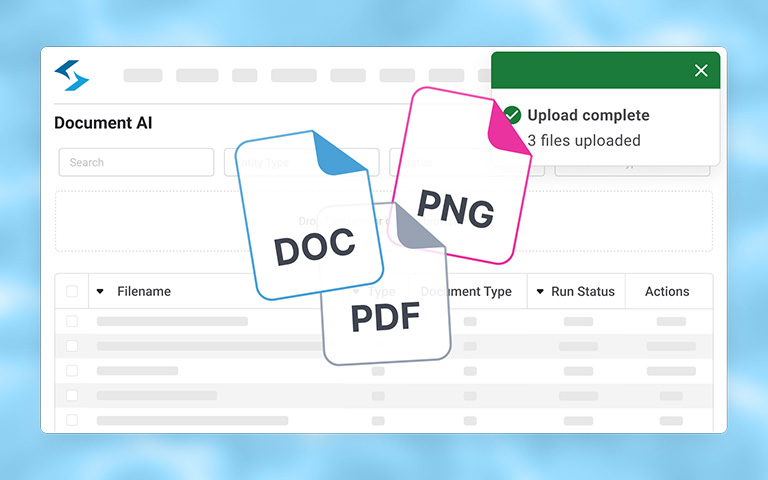
- Upload. Documents get uploaded, individually or in batches, in whatever format they arrive.
- Classify. The system determines the document type – a carrier agreement, a claim document, a pickup receipt – without needing a person to sort it first.
- Extract. Key fields get pulled and structured, line items, dates, weights, HS codes, whatever the document actually contains.
- Search. The extracted data becomes searchable, so anyone on the team can find it later without opening the file again.
The AI models behind this have matured enough that logistics-specific classification doesn't require custom training for every document. Just a few years ago, getting a system to reliably tell a rate sheet from a rate confirmation meant building and maintaining a custom model. This is also where AI-powered processing differs from standard Optical Character Recognition (OCR) software: OCR would read the text on both documents and hand it back as-is, it wouldn't know one from the other, and it wouldn't structure anything for you.
In both cases, someone still has to write the logic that turns raw text into usable data. AI-powered document processing does that classification and structuring automatically, as part of the same step.
Where This Makes the Biggest Difference
A few workflows tend to benefit the most from moving off manual document management, largely because they involve high document volume, tight timing, or both.
Bill of lading processing. Every BOL that arrives by email or portal is a candidate for automatic classification and extraction, no more copying PRO numbers, origin and destination, or commodity details by hand.
Freight audit and invoice matching. Comparing a carrier invoice against a rate confirmation is exactly the kind of line-by-line comparison that benefits from structured, extracted data on both sides, instead of two documents someone has to read side by side.
Proof of delivery verification. A signed POD confirms a delivery happened, but someone still has to open it, check the signature, and note any delivery exceptions. Automatic extraction surfaces that information the moment the document lands.
Customs and trade documentation. Commercial invoices, packing lists, and customs declarations carry HS codes and declared values that matter for compliance. Structured, searchable data makes it possible to answer a compliance question without digging through a shared drive by filename.
What to Look for in a Document Processing Solution
Not every document processing tool solves the same problem. General-purpose OCR tools can read the text on a page, but that's often where the value ends. Someone on your team still has to classify the document and build the logic to make any of it searchable.
A few other things worth evaluating before you commit to a solution:
- Whether it handles access control, so you can limit who sees what
- Whether corrections to extracted data are tracked with a clear version history
- How it fits into the systems you already run, rather than requiring you to rebuild around it
How Shipwell Supports This
Shipwell Document AI reads, classifies, and organizes transportation documents the moment they're uploaded, such as bills of lading, invoices, proofs of delivery, rate confirmations, customs paperwork, and more. Every extracted field includes a confidence score and page-level evidence, so your team can verify results before they enter a workflow, and any adjustment becomes part of the record.
Once processed, documents become searchable in plain language (no more digging through a shared drive by filename!) Document AI runs as its own workspace and connects through Shipwell's MCP Server to your AI Assistant or your own enterprise systems, standalone or connected, your call.
Actionable Takeaways
- Manual freight document management doesn't scale, every added document adds real, measurable hours.
- AI-powered processing classifies, extracts, and makes documents searchable automatically, without custom model training for standard logistics document types.
- Evaluate a solution on classification accuracy, structured output, search, and how corrections are tracked, not just whether it can read text.
- The workflows with the clearest payoff are usually BOL processing, invoice matching, POD verification, and customs classification.
Curious what a stack of your own bills of lading would look like processed automatically? Request a demo and find out.
Frequently Asked Questions
What is freight document management?
Freight document management is the process of receiving, organizing, and extracting data from the documents that accompany every shipment, bills of lading, invoices, proofs of delivery, rate confirmations, and customs paperwork. Done manually, it involves reading and typing data from each document by hand.
How is AI-powered document processing different from regular OCR?
Regular OCR extracts raw text from a document but doesn't know what type of document it is or which fields matter. AI-powered, logistics-native processing classifies the document automatically and structures the relevant fields, no custom post-processing code required.
Does AI document processing require custom model training?
Not for standard logistics document types. Modern AI models can classify and extract data from bills of lading, invoices, and other common freight documents without training a custom model for each document type or carrier format.
Can AI document processing integrate with my existing TMS or ERP?
Yes, in most cases. Look for a solution with a REST API and clear entity association, so extracted data connects to the right shipment or order automatically, instead of requiring manual cross-referencing.
What document types can be processed automatically?
Shipwell's Document AI support bills of lading, invoices, proofs of delivery, rate confirmations, customs declarations, commercial invoices, and packing lists, along with general file formats like PDFs, images, and spreadsheets.
Is my document data secure with an AI processing solution?
Look for access controls, encryption at rest and in transit, and clear audit trails on any corrections made to extracted data. These are standard questions worth asking any vendor before you commit.
How long does it take to implement AI document processing?
This varies by system and integration complexity, but solutions with a REST API and clear documentation typically integrate in days, not months, compared to building a custom OCR pipeline from scratch.