.svg)


Control Your Cargo with Ocean Container Visibility


Key Takeaways

- Automated ocean tracking eliminates manual work: enter an MBOL once, and Shipwell automatically tracks your container from empty pickup through ocean transit to empty return.
- Proactive visibility prevents costly fees: with Shipwell’s ocean-specific status updates, easily see Last Free Days directly in the shipment itinerary, so you can act before demurrage or detention charges begin.
- One unified platform for multimodal freight: manage FCL ocean containers alongside LTL, rail, air, and drayage with order management, carrier selection, quoting, billing, and analytics in one place.
Nearly every nation on the planet relies on overseas trade. Even though ocean container visibility has gotten better, many shippers still face mixed information and lost cargo. Shipping vessels move 24/7, and if the correct information isn’t showing, fees can pile up more than containers at a shipyard.
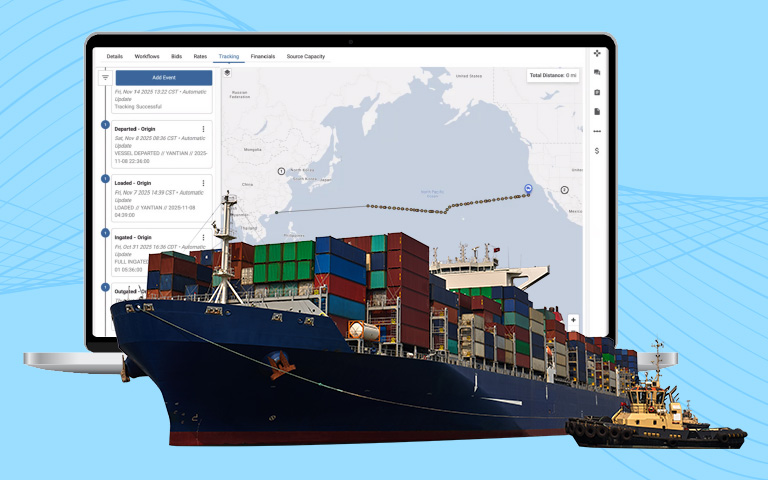
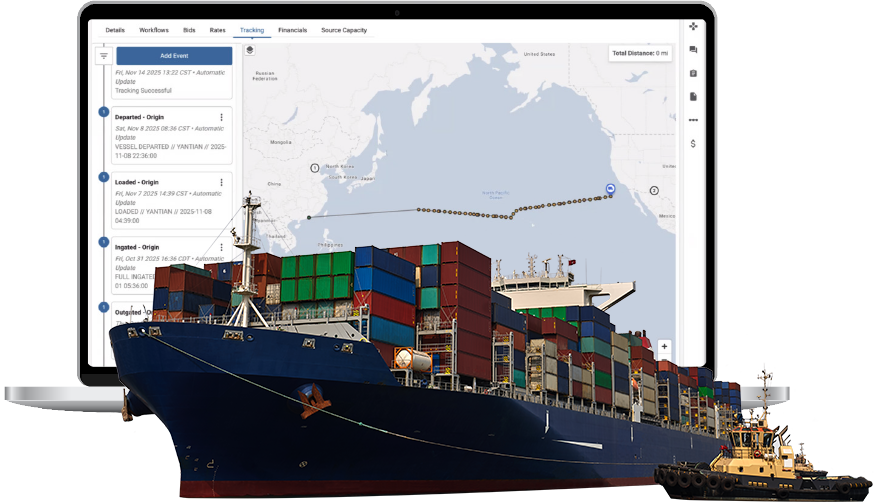
Shipwell’s Ocean Mode tracks FCL containers in real-time from start to finish. This gives you the visibility and control you need to manage ocean shipping actively, not just reactively.
What is Ocean Mode?
At its simplest, “Ocean Mode” means shipping cargo by sea from one port to another. It moves around 80% of goods worldwide, making it the most popular, but arguably most complex way to transport items.
{{button}}
Why Ocean Container Visibility Matters
For shippers managing ocean freight transportation, visibility gaps create costly problems. Delays, conflicting information, and manual tracking drain time and wear down margins. With increased insight, you can:
- Reduce demurrage and detention fees by catching issues early and acting before last free days expire
- Cut administrative overhead by eliminating manual container tracking across carrier portals, terminal websites, and freight forwarder emails
- Improve collaboration across internal teams with a single source of truth for container locations, vessel schedules, and customs status
- Make faster decisions with predictive ETAs, automated alerts for vessel delays, and real-time visibility into demurrage risk
Why Does Ocean Container Visibility Matter for Shippers?
For shippers moving high-value or time-sensitive freight, visibility isn’t a nice-to-have—it’s essential. Without it, delays, confusion, and wasted effort eat into margins and damage customer trust. Shipwell solves these challenges by:
- Reducing delays and demurrage fees through proactive alerts and exception management.
- Lowering administrative costs by automating manual tracking and reporting tasks.
- Improving collaboration across teams and partners with standardized, real-time data.
- Enabling smarter, faster decisions with predictive analytics and unified supply chain management.
See how Beaver Street Fisheries achieved 100% ocean container visibility.
Why Use Shipwell for Ocean Shipping?
Because ocean tracking is so unique, shipping data arrives in different forms, and inconsistently. Shipwell's Ocean Mode makes everything easier. It gives you constant updates on where the container is and more:
- Shipment dashboards: Filter exceptions by priority, shipment, or date to prioritize at-risk shipments and avoid costly surprises.
- Automated ocean tracking: Entering a shipment’s MBOL automatically initiates container tracking, with real-time.container location and status updates inside the platform.
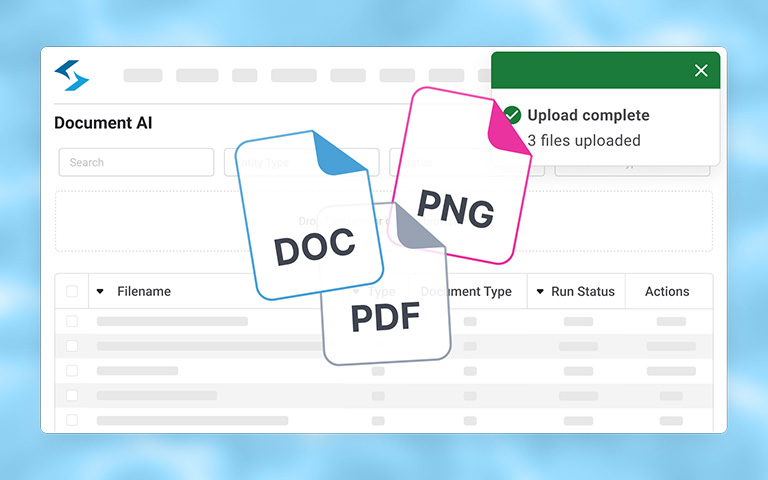
- Streamlined documentation: All ocean-specific documents (BOL, commercial invoices, customs paperwork, etc.) remain with the shipment record.
- Greater control over your shipments: End-to-end ocean container visibility from pickup to return, covering every handoff and transfer.
- Better customer service: Give clients access to see where their shipments are at any time via a single link to the platform.
When using Ocean Mode to create shipments, either within the Shipwell TMS or via API and webhooks to an ERP, OMS, or WMS, you can manage orders, choose carriers, get quotes, handle billing, and analyze data all in one place. There is no need to switch between systems or reconcile data across platforms, taking a truly unified approach to supply chain operations.
How Shipwell's Ocean Mode Works
1. Booking & Planning
Create shipments, request quotes, and track confirmed bookings directly in Shipwell. Spot bidding and contract management support are built in, so you can compare rates and select carriers without leaving the platform.
2. Container Pickup & Stuffing
Once the empty container is picked up and loaded with cargo, Shipwell begins tracking. Enter an MBOL (Master Bill of Lading) during shipment creation or add it later—tracking starts automatically. Container location and status update in real-time.
3. Inland Transport to Port
As the loaded container moves to the origin port, Shipwell tracks gate-in and check-in at the terminal. When vessels can't dock directly at port, containers move via barge. Shipwell tracks barge loading, departure, arrival, and discharge at both origin and destination.
4. Export Customs Clearance
Store all export documents (commercial invoices, export declarations, and customs paperwork) within the shipment record. While customs filing happens outside the platform, Shipwell keeps documentation organized and accessible.
5. Ocean Shipping
Once the container is loaded onto the vessel and the vessel departs, Shipwell provides continuous tracking across the ocean. Carriers, terminals, and freight forwarders each report different ETAs. Shipwell pulls data from all sources and displays an AI-generated ETA alongside the port ETA, so you can compare and make informed decisions.
Transshipment stops are clearly marked with arrival and departure events. Vessel information (vessel name, voyage number, port of loading, and port of discharge) appears within 24 hours of MBOL entry.
6. Arrival at Destination Port
When the vessel arrives at the discharge port, Shipwell tracks the unloading and movement to the port yard.
7. Container Pickup & Final Delivery
Shipwell displays when containers are available for pickup and where, whether at the terminal, off-dock facility, or trucker yard. Get regular updates on container locations with live status changes. This helps you see important issues like vessel delays, customs holds, or nearing last free days. Filter exceptions by priority, shipment, or date to prioritize at-risk shipments and avoid costly surprises.
8. Container Unloading & Return
Track when the empty container is picked up and returned to the carrier's designated depot within free time. Shipwell displays Terminal Last Free Day (demurrage charged by the terminal) and Port Last Free Day (detention charged by the ocean carrier) directly in the shipment itinerary. These dates show when fees will begin if the container isn't moved—typically about five calendar days.
One TMS, Multimodal Freight
To streamline ocean container visibility and manage FCL containers alongside LTL, rail, air, and other shipment modes – use one unified platform. Request a demo and discover how end-to-end visibility drives efficiency and savings across your supply chain.
Frequently Asked Questions
What is ocean container visibility?
Ocean container visibility is the ability to track and monitor FCL and LCL container shipments throughout their entire journey. Shipwell's Ocean Mode provides real-time updates from empty pickup through final delivery and empty return. Complete support of LCL shipments, including settlement, will be included in a future release.
How often are container updates provided?
Shipwell automatically syncs new container events as carriers publish them, delivering a consistent stream of updates that support real-time monitoring and exception response.
What is an MBOL?
An MBOL, or master bill of lading, is a comprehensive document that ties together all containers and parties on an ocean shipment.
Why is an MBOL required to see container tracking?
An MBOL is issued by the ocean carrier and is the legal contract of carriage. Without it, there's no way to uniquely identify and track the ocean shipment.
How long does it take to see tracking?
After entering an MBOL and saving the shipment:
- Immediately: "Tracking Requested" card appears
- Within 24 hours: "Tracking Started" card appears
- Ongoing: Milestone events appear as they happen in real-time
If you don't see "Tracking Started" within 24 hours, check for a "Tracking Error" card.
What if my client doesn’t have an MBOL yet?
You can still create the ocean shipment using "Save as Draft" even without an MBOL. However:
- The shipment won't trigger automatic tracking until an MBOL is added
- You'll need to go back and add the MBOL once the client receives it
- Then save the shipment again to start tracking
This is common when clients are booking space but haven't received confirmation yet.
What types of exceptions does Shipwell show using Ocean Mode?
Shipwell surfaces key shipment events as they are released by carriers like:
- rolled cargo
- vessel delays
- demurrage risk
- detention risk
- customs holds
You can filter exceptions by priority, shipment, or date.
What is the difference between demurrage and detention?
Demurrage is charged by the terminal when a container sits at the port too long after discharge. Detention is charged by the ocean carrier when you keep their container too long after it leaves the terminal.
Can Ocean Mode be used as a standalone tool?
No. Shipwell's Ocean Mode must be used as part of Shipwell's TMS or integrated with an ERP, OMS or WMS.
What ocean freight transportation documents can I manage in Shipwell's Ocean Mode?
Upload and organize ocean-specific documents like MBOL, BOL, booking confirmations, commercial invoices, and customs paperwork within each shipment record.
Does Shipwell track barge movements?
Yes. Shipwell tracks barge loading, departure, arrival, and discharge at both origin and destination when vessels can't dock directly at port.
What are the main benefits of Ocean Mode for shippers?
Shippers benefit from reduced delays, lower costs, better client experience, and smarter decision-making through comprehensive ocean freight transportation visibility.