.svg)


December 19, 2018
How to Change the Status of Your Shipment



Update The Shipping Status
Hover over the shipment status on the top right of your Shipment Details page. A Pencil Icon will appear, click on it.
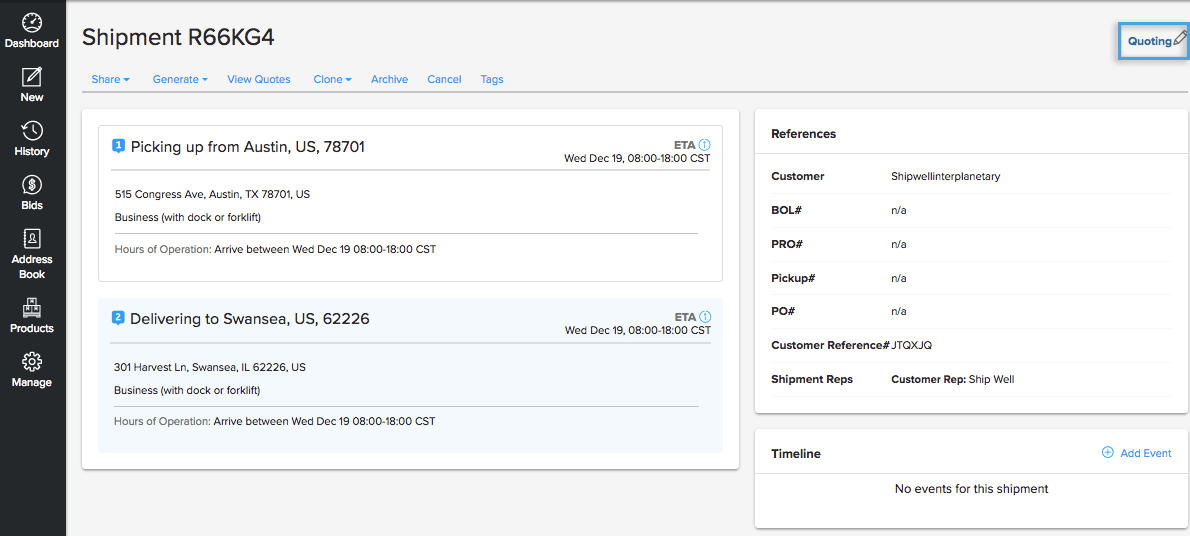
A drop down menu will appear with multiple options that you can select.
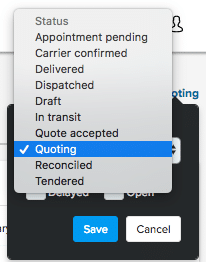
Once you've changed your new status, select Save.
Note: If you change the status of a shipment to "In Transit" or "Delivered," Shipwell will request you to timestamp when each event occurred.
The Shipwell editing team brings together experienced experts in shipping, software, and communications to provide actionable insights that help shippers succeed.
Frequently Asked Questions
No items found.