

.svg)


BETA
A Logistics AI Assistant Built Into Your Everyday
Stop jumping between menus and reports just to find basic answers. Shipwell’s In-App AI Assistant connects straight to your live data and answers your team's day-to-day operational, financial, and reporting questions directly. From pulling live shipment statuses to verifying contract rates, the assistant turns everyday data lookups into simple conversations.
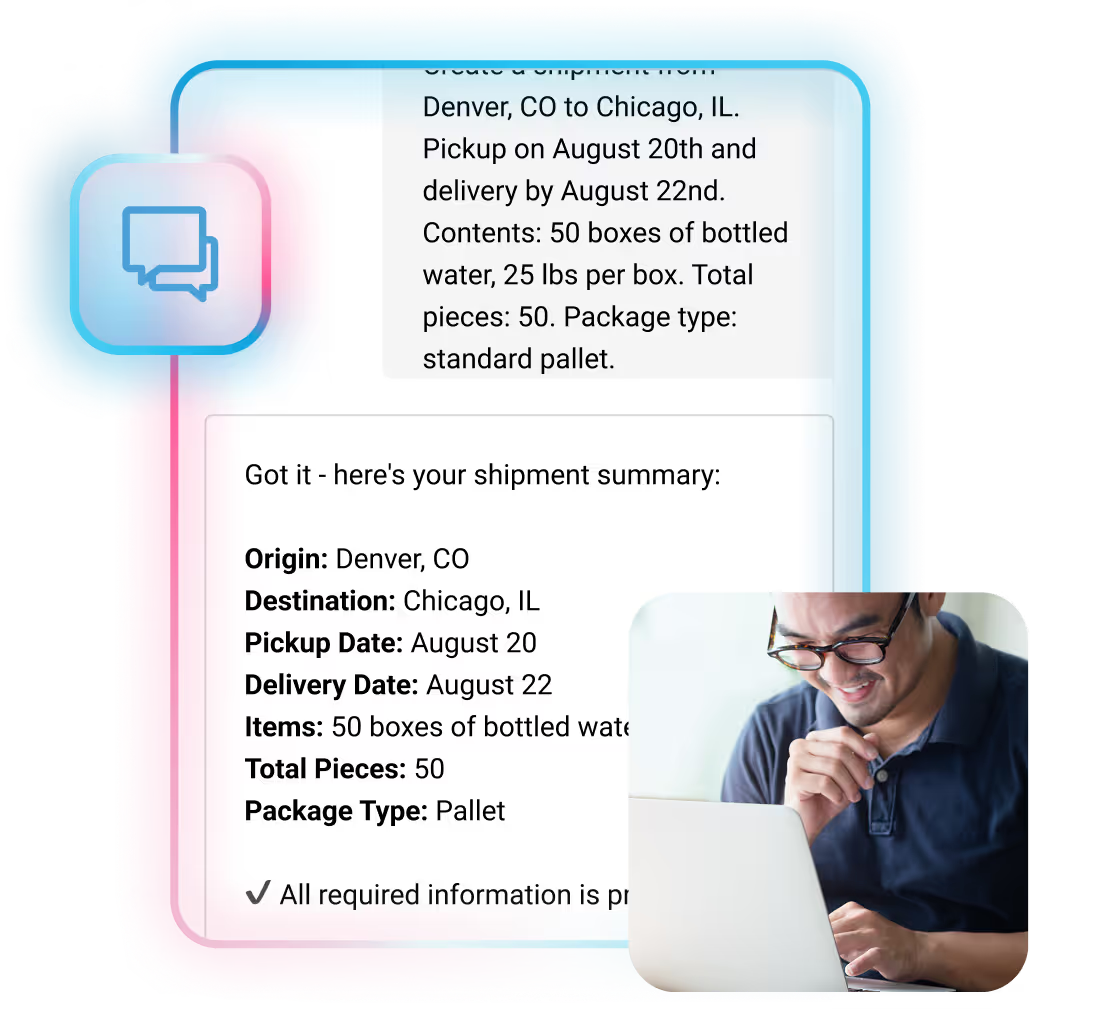

Meet Your Logistics AI Assistant
Shipwell’s In-App AI Assistant is a logistics-focused conversational assistant embedded directly in the platform. Think of it as a faster, more intuitive way to interact with your TMS–using conversational language instead of navigation. It can help with:

Shipment Tracking And Status Updates
Instantly pull live locations, ETAs, and missing documentation.
Carrier And Contract Details
Quickly verify assigned carriers, lanes, and contracted rates.
Invoice And Financial Tracking
Monitor freight invoices and see their approval level in the pipeline.
Order And Line-Item Visibility
Search PO's and instantly see their connection to active shipments.
Facility And Scheduling Parameters
Look up dock hours, upcoming appointments, and routing guide rules
The logistics assistant operates on a secure layer via the Shipwell MCP Server. Using this bridge respects user permissions, and gives your team total network visibility without the risk.
Download The Datasheet


Too Many Clicks. Too Much Context Switching.
Even the best TMS workflows slow teams down when:
- Simple actions require multiple screens and steps
- Users have to remember where to go and how to do things
- Reporting and data questions interrupt execution
- New team members face a steep learning curve
Every interruption and distraction steals time from real logistics work. Our In-App AI Assistant frees you to focus.

How It Works
Once activated, the In-App AI Assistant is always available inside Shipwell, no extra training, setup per user or new workflows to learn.

Click the blue icon in the bottom-right corner

Ask a question or make a request

Review and confirm when required

Get results in seconds
Helping Teams Move Faster
Most TMS platforms force users to choose between power and simplicity. The In-App AI Assistant eliminates that trade-off by making complex actions feel effortless.

Reduce clicks
and navigation for everyday tasks

Speed up execution
without changing workflows

Lower the learning curve
for new users

Get faster answers
from your operational data

Keep users focused
inside one interface
Your Assistant, Your Brand
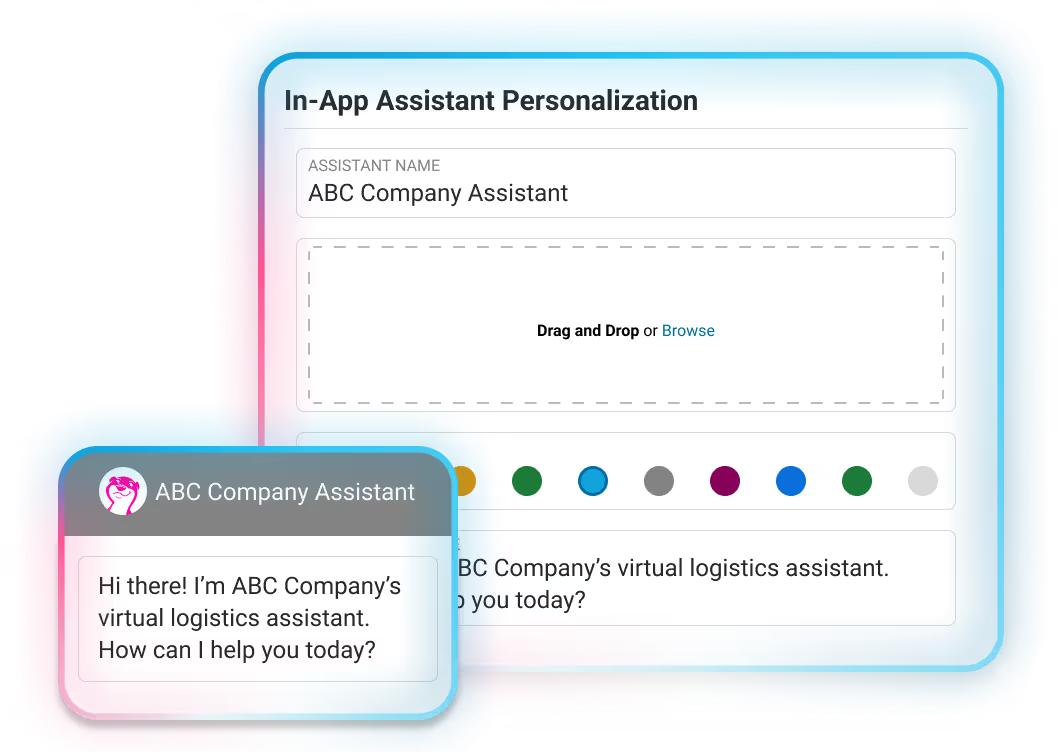
The In-App AI Assistant is configurable through AI Studio, giving authorized users control over how it shows up for your team:
- Give the assistant a new name (it’s Swifty by default)
- Update the avatar to match your brand
- Customize the first message users see when starting a conversation
Whether you want it to reflect your company's personality or simply make it easier for users to recognize, these settings let you customize experiences and further platform adoption.
Enterprise-Grade Security & Data Protection
Like having a conversation with yourself inside a vault: whenever you chat with the In-App AI Assistant, your information is protected.

SOC 2® compliant security practices

Role-based access and authentication

Audit trails for actions taken

No AI model training on customer data
Any conversational AI tool applies large language models (LLMs) to display information clearly. Our logistics assistant makes use of Anthropic’s Claude, because of their robust security measures and data training policies. Your data remains protected and under your control.
Privacy PolicySmarter Conversations, Faster Than Ever Before
The In-App AI Assistant turns everyday logistics tasks into simple conversations–helping your team move faster, with less friction without leaving your TMS.
Request a DemoFrequently Asked Questions
What is the In-App AI Assistant?

The In-App AI Assistant is a conversational intelligence tool embedded directly inside the platform. It allows users to retrieve information, and interact with their data using natural language without leaving Shipwell.
Where do I access the conversational logistics assistant?
Once activated, the assistant is available by clicking the blue Shipwell icon in the bottom-right corner of the platform.
What can the In-App AI Assistant help with?
The assistant answers operational, financial, and reporting questions using live data from your account. Your team can ask questions directly to look across the following within the platform, and return useful answers faster across:
- Address Book Entries & Saved Locations
- Contracts & Carrier Records
- Invoices
- Orders
- Reporting Data
- Routing Guides and Appointments
- Shipments
- Shipwell Help Center
- Tenders
Capabilities continue to expand as Shipwell enhances their assistant functionality using AI in the logistics and transportation space.
Does the In-App AI Assistant respect user permissions?
Yes. The assistant matches the exact security configuration of the logged-in user, meaning team members can only retrieve data they are already authorized to view.
How does the logistics AI assistant prevent incorrect changes?
The assistant is read-only by default to ensure complete data safety. It can search, summarize, and report on information, but it cannot create, update, or delete records within your account unless set up to do so.
How fast are responses from the In-App AI Assistant?
Most requests are completed in one to two seconds. Data-intensive queries may take slightly longer, depending on complexity.
Can the In-App AI Assistant be customized?
Yes. Through AI Studio, teams can:
- Rename the assistant
- Update the avatar
- Customize the welcome message shown to users
This allows the assistant to feel consistent with your brand and workflows.
Is the In-App AI Assistant included with Shipwell?
Yes, the In-App AI Assistant is currently included as part of Shipwell’s standard platform offering, unlike some of our autonomous AI Workers which may have separate access. However, Shipwell reserves the right to introduce pricing for the In-App AI Assistant in the future as it evolves into a product add-on. For now, you can enjoy its capabilities fully integrated within your Shipwell experience.
Is my data secure?
Yes. Shipwell applies enterprise-grade security and privacy practices, including:
- SOC 2® compliant controls
- Role-based access and authentication
- Full auditability of data-changing actions
- Use of Anthropic’s Claude with customer data opted out of AI model training
Your data remains protected and under your control.
How can I provide feedback on the In-App AI Assistant?
In the chat window, there is a thumbs up and thumbs down after every response. If the response is what you’re looking for, choose thumbs up. If not, choose thumbs down. Each time you do this, the In-App Assistant’s responses will become more useful.
